Game guide · ZZQHMY
Find your footing in Hitori
Make Hitori your next activity in the game library. Shade repeated numbers while keeping black cells separated and all white cells connected. Look at what changes after your first action. Check the rule that explains your first action. Keep the game area visible while you use its controls.
Play twelve 5×5 puzzles. Any shaded starting cells remain fixed.
Practice beyond the first move
Keep the stated aim separate from side details such as animation or appearance. Progress is measured by the game’s own completion or scoring rules. Use the example to check your reasoning.
The challenge in front of you
Shade repeated numbers while keeping black cells separated and all white cells connected. Use the instructions to see which actions move you towards it. Return to the instructions when a step is unclear.
Making your moves
- Click a cell to shade, mark or clear it.
- No unshaded number may repeat in a row or column.
- Black cells cannot share an edge.
- Check puzzle verifies duplicates and connectivity.
Making selections and moves
Click or tap squares or graph edges. Number boards include a digit pad. Undo reverses the previous change; Check puzzle validates the solution. A careful first action helps you become familiar with the layout. Use the visible help when you are unsure of the next input.
Try this example
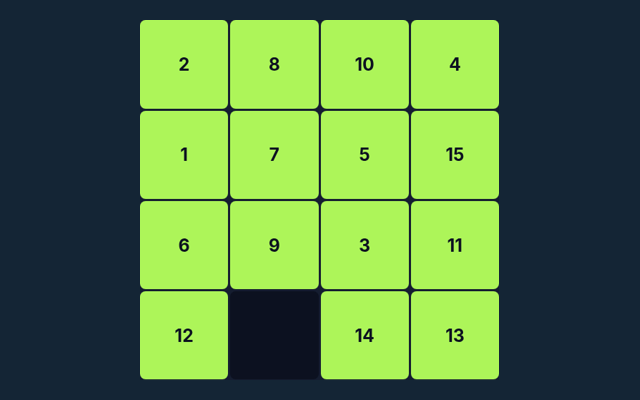
Two identical unshaded numbers in one row cannot both remain. Focus on why the action is allowed, not only its outcome. Verify the rule before continuing.
A mistake to avoid
Removing every duplicate can disconnect white cells. Check the rule before repeating the action. Keep the stated aim separate from side details such as animation or appearance. Progress is measured by the game’s own completion or scoring rules.
Common questions
On this playing page, what is the goal of Hitori?
Shade repeated numbers while keeping black cells separated and all white cells connected.
As a new player, how do I control Hitori?
For clarity: Click or tap squares or graph edges. Number boards include a digit pad. Undo reverses the previous change; Check puzzle validates the solution.
Before I begin, what example helps explain Hitori?
For clarity: Two identical unshaded numbers in one row cannot both remain.
As a new player, what should I watch out for in Hitori?
For clarity: Removing every duplicate can disconnect white cells.
For this browser game, what format does Hitori offer?
Play twelve 5×5 puzzles. Any shaded starting cells remain fixed.
For my first round, which play mode does Hitori use?
For clarity: The mode on this page is Solo. Same-device play uses one screen; this game library does not provide internet matchmaking.
On this playing page, where should I start with Hitori?
Keep this in mind: Click a cell to shade, mark or clear it.
While learning, do I need an account or a payment for Hitori?
For clarity: No player account or payment is needed. Game scores are recreational results, not cash prizes.
On this playing page, how can I find Hitori again?
Keep this in mind: Use the Games list or save this game page in your browser bookmarks. The Guide is linked from the playing page.
For a quick reminder, how do I report an issue with Hitori?
For clarity: Use the contact form and include the game name, browser, device and the actions that led to the issue. Do not send passwords or payment details.